Controllers, Analog L/R Triggers and DSU Setup
How Luigi’s Mansion Recompiled maps dual-stage GameCube L/R triggers, C-stick Poltergust aiming, SDL3 rumble and DSU (cemuhook) servers.
- Trigger Click: 85% default (0–150 analog)
- Pad Deadzone: 8% (0% on GC pad)
- DSU Client: 127.0.0.1:26760 (v1.1.5+)
- GC Adapter: 057E:0337 (WinUSB)
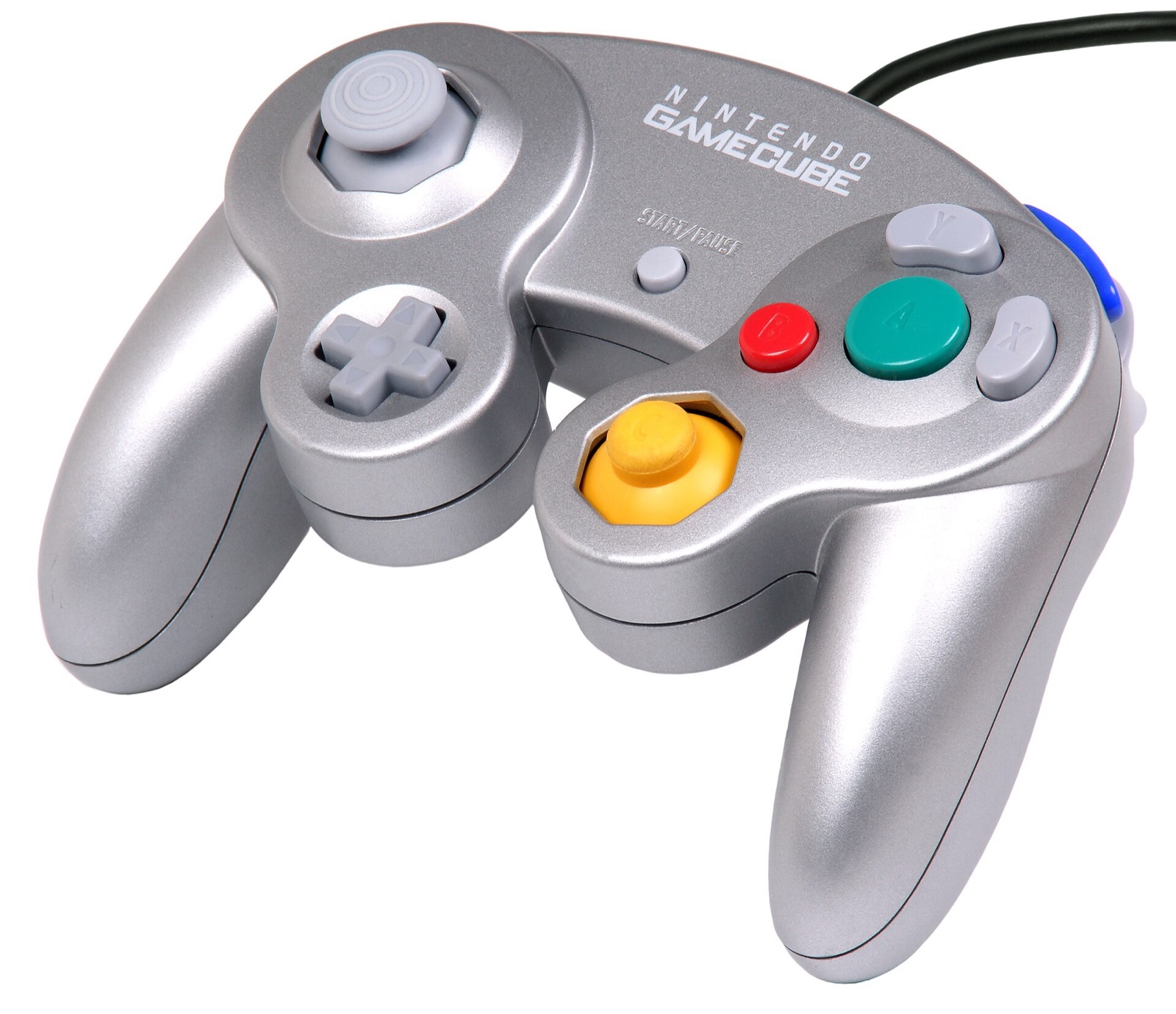
Why GameCube analog L/R triggers matter for the Poltergust 3000
On original Nintendo GameCube hardware, the L and R shoulder triggers combine a continuous analog slider (clamped by PADClamp to 0..150 at pad +0x26/+0x27) with a tactile digital switch at the bottom of the pull. Luigi's Mansion reads both values through fn_800807EC: partial pulls modulate elemental Fire, Water and Ice stream pressure on L and Poltergust intake behavior on R, while bottoming out the digital click fires elemental balls or full-power suction (180).
rob646464/luigis-mansion-recompiled models both stages natively in F1 > Controls > Sticks, triggers & rumble: modern analog LT/RT and L2/R2 triggers feed smooth 0..150 analog values across their travel and fire the digital L/R click once pulled past 85% by default (fully adjustable per controller profile).
Analog L/R PC controllers
Luigi's Mansion Recompiled reads full analog L/R trigger travel (0 to 150) alongside the 85% digital L/R click threshold for Poltergust 3000 suction and Fire/Water/Ice pressure, plus dual-stick C-stick aiming via SDL3 and DSU:
| Controller | Best For in Luigi's Mansion | Hardware Advantage | Link |
|---|---|---|---|
| GameSir Cyclone 2 | Dual-stage analog & click triggers | TMR sticks + physical microswitch/analog trigger locks matching GameCube L/R click feel | View on Amazon |
| Sony DualSense | Smooth L2/R2 travel & SDL3 / DSU | Long-throw analog L2/R2 sensors, crisp D-pad for Game Boy Horror, USB/Bluetooth SDL3 | View on Amazon |
| 8BitDo Ultimate 2 Wireless | Windows, Linux & SteamOS dock play | Zero-drift TMR sticks, Hall analog triggers, charging dock, 2.4 GHz & Bluetooth switch | View on Amazon |
| Xbox Wireless Controller | Plug-and-play Windows 10/11 | Native SDL3 XInput binding with 500 ms refreshed rumble and 85% trigger click threshold | View on Amazon |
As an Amazon Associate, this site earns from qualifying purchases.
Default controller & keyboard bindings
Every connected SDL3 gamepad creates its own per-model profile in settings.ini (by SDL GUID) with Primary and Alternate slots for every input. Face buttons map by physical position on Xbox and PlayStation pads and by printed letter on Nintendo pads:
| GameCube Input | Xbox Pad | PlayStation (DualSense / DS4) | Switch Pro / Joy-Con | GameCube Adapter / NSO | Keyboard & Mouse |
|---|---|---|---|---|---|
| A (Flashlight / Confirm / Search) | A | Cross | A | A | E |
| B (Cancel / Sidestep toggle) | X | Square | B | B | Q |
| X (Game Boy Horror search view) | B | Circle | X | X | R |
| Y (Map screen) | Y | Triangle | Y | Y | F |
| Z (Inventory / Status) | RB or LB | R1 or L1 | R or L | Z | Left Ctrl or C |
| START (Pause) | Menu or View | Options or Share | + or - | START | Enter |
| Analog L / R (0–150 suction / element pressure) | LT / RT travel | L2 / R2 travel | ZL / ZR | Analog L / R | Full press on click |
| L / R Click (Full burst / elemental shot) | LT / RT past 85% | L2 / R2 past 85% | ZL / ZR | Physical L / R click | Left Shift/RMB · Space/LMB |
| Control Stick (Move Luigi) | Left Stick | Left Stick | Left Stick | Control Stick | W A S D |
| C-Stick (Aim Poltergust / Flashlight) | Right Stick | Right Stick | Right Stick | C-Stick | Arrow keys |
| D-Pad (GBH live camera on Up, etc.) | D-Pad | D-Pad | D-Pad | D-Pad | 1 / 2 / 3 / 4 |
System hotkeys remain free outside bindings: F1 opens/closes the options menu, Tab engages fast-forward, F3 toggles the room/coordinate overlay, and F4 opens the 1,458-model viewer. Keyboard keys drive Port 1 alongside your gamepad by default (+ Keyboard).
Dead zones, sensitivity & fixed SDL3 rumble
- Dead zone & sensitivity: Standard PC gamepads default to an 8% radial stick dead zone (rescaled cleanly before the game’s own
15/127PADClamp), whereas genuine GameCube controllers default to 0% so no double dead zone is applied. Sensitivity scales from0.5xto2.0xwith independent X/Y axis inversion on both sticks. - Reliable Xbox & SDL3 Rumble (
v1.1.1+): Early builds sent a single duration-0 rumble packet that Windows XInput / SDL3 could drop before correlation (issue#12). The controls layer now sends refreshed500 msSDL_RumbleGamepadpulses every 100 ms during hits and ghost captures (default 50% strength) and provides a 0.6-second Test rumble button with live SDL status reporting.
DSU (cemuhook) client & USB GameCube adapters
- DSU UDP Client (
v1.1.5+,F1 > Controls > DSU): Connects to up to fourhost:portservers (default127.0.0.1:26760) from DS4Windows, BetterJoy, Steam Deck DSU providers or macOS NSO GC Driver. Pick between the GameCube controller layout (maps NSO GC Driver analog triggers + L1/R1 physical clicks with 0% extra dead zone) and the PlayStation (DS4) layout. Each connected slot appears as an SDL virtual pad (DSU slot 1..4), and sockets filter out foreign UDP senders. - 4-Port Wii U / Switch USB GameCube Adapter (
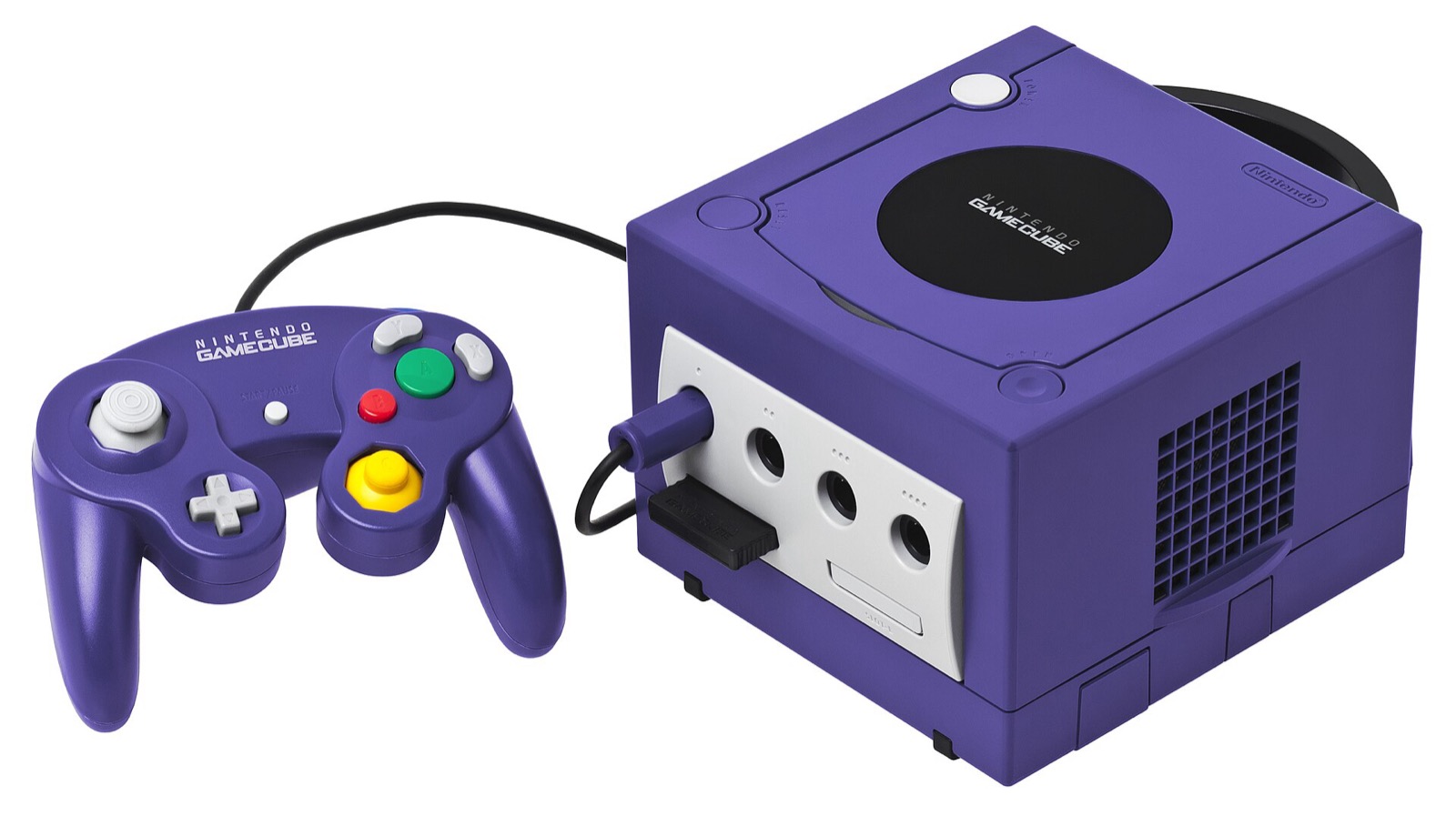
057E:0337): On Windows, install the WinUSB driver on interface 0 using Zadig (the same setup Dolphin uses) so SDL3 detects all four ports natively with on/off GameCube motor rumble. - Switch 2 NSO Wireless GameCube Controller (
057E:2073): Upstream notes that SDL 3.4.10 on Windows intermittently opens this USB device as rawIf_Hidwithout a gamepad mapping; bridging it through a DSU server (or NSO GC Driver on macOS) avoids the libusb race.
Common questions
Can I play with digital-only triggers like the Nintendo Switch Pro Controller?
Yes. Pressing digital ZL or ZR triggers both the L/R click bit and a full analog value (180), so Poltergust vacuuming and elemental bursts work immediately. If you want gradual elemental stream pressure, choose an analog-trigger pad such as the DualSense, GameSir Cyclone 2, 8BitDo Ultimate 2 or Xbox Wireless Controller.
Why does keyboard input stop responding while the F1 menu is open?
By design, while the F1 ImGui window holds keyboard focus, the game receives neutral input so typing values or navigating tabs never moves Luigi in the background. Press Esc or F1 to return focus to the mansion.
Does local 2-player mode use Port 2?
Yes. When 2-player mode (unfinished) is switched on in F1 > Enhancements > Unused content, assign a second physical or DSU gamepad to Port 2 in F1 > Controls > Ports (while Player 1 can remain on Port 1 + Keyboard).